Friday, July 23, 2010

Aleesoft Free MKV Converter

Aleesoft Free MKV Converter

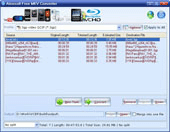
Aleesoft Free MKV Converter is a freeware can convert MKV video files to formats for portable device including iPad, iPod, iPod touch, iPod video nano, iPhone, Apple TV, Zune, XBOX 360, PSP, PS3, Nokia, BlackBerry, Sony moblie phone, etc. Meanwhile, it can also support output almost any audio or video formats like MP4, WMV, AVI, DivX, 3GP, FLV, SWF, ASF, MP3, WMA, WAV, etc.
Convert MKV to video to transfer to
Convert mkv to popular video formats to transfer to iPad, iPhone, iPod, Apple TV, PSP, PS3, Blackberry, 3GP, Flash Video, Zune, XBox 360, WII, Nokia, PowerPoint, Sony phone etc.
Free MKV Video Converter and Free MKV Audio Converter
Convert MKV Video to almost common video formats such as MP4, WMV, AVI, DivX, 3GP, 3G2, FLV, SWF, ASF, MOV, XviD, TS, GIF, etc. Meanwhile, it can extract audio from mkv file to general audio formats including MP3, WMA, WAV, MP2, AAC, AC3, AU, OGG, FLAC, etc.
Key Features
Convert MKV video to devices
Aleesoft Free MKV Converter presets many parameters for your Sony PSP, PS3, Apple iPod nano/video/classic/touch/TV Out, Apple TV, iPad, iPhone, Zune, XBOX360, WII, Nokia, BlackBerry, Sony phone. You can easily convert MKV to your portable media player and enjoy the MKV video on the go.
MKV Video Converter
Support convert MKV to AVI, WMV, DivX, MP4, H.264/AVC, XviD, MOV, FLV, SWF, GIF, ASF, MPG, 3GP.
MKV Audio Converter
Extract audio from mkv to MP3, MP2, WMA, WAV, AU, FLAC, OGG, AAC, AC3, AWB, AMR.


MKV Video Converter

Make your own video with its editing video features

Merge multiple video files into one.
Crop and Pad video frame size.
Split a large file into several smaller ones by setting a split mode.
Adjust the output parameters (including bit rate, codec, frame rate, sample rate, etc.) of an existing conversion profile and save it as your own.


MKV Converter

System Requirement
OS Windows XP / 2003 / 2008 / Windows Vista / Windows 7
Processor 1GHz Intel / AMD processor or above
Free hard disk space 40MB space for installation, 100 MB or more
RAM 256 MB or above (512MB or above recommended)

Output Device Support
Sony PlayStation 3 (PS3) PSP Zune XBOX 360 Nokia Phone
iPad iPhone iPod Apple TV Youtube video
PowerPoint embedded video WII BlackBerry Sony Phone Hulu video
Ouput File Format Support
Video AVI MP4 MPG MPEG
MKV MOV ASF GIF
WMV FLV H.264 SWF
TS 3GP, 3G2    
Audio MP3 MP2 AU FLAC
WAV AAC AMR AWB
WMA MMF    

download free mkv converter

BurnPro 5.1.1 - Burning media the easy way!


BurnPro is a burning application tool to simplify your burning needs. From now on, it’s really easy to burn Audio CD, Data CD/DVD’s, create Video DVD’s (S)Video CD’s, create and burn disc images, and more! It gives easy access to all functionality with a simple menu system, so you don’t get lost. Just click, add files and burn!

Key features:

  • Burn and update data discs: Burn data to discs and update previously burned discs by adding and removing files and folders
  • Rip and burn music: Rip music from CDs and burn music to audio CDs and MP3 discs on CD, DVD and Blu-ray in a variety of formats
  • Burn movies to DVDs and data discs: In addition to the new slideshow DVDs you can burn video DVDs, Video CDs (VCD), Super Video CDs (SVCD) and data video discs
  • Copy CDs, DVDs and Blu-ray discs: Just insert a disc, select Copy to image/ Burn disc from image and you’re ready to copy

New Winamp 5.58 Standard The Unlimited Media Player


Winamp is a multimedia player made by Nullsoft. It is skinnable, multi-format freeware. It also now plays streamed video content, both live and recorded, authored worldwide. Winamp 5 includes support for classic Winamp skins and Winamp 3 (Modern) skins; a fancy new Modern skin; the same classic skin for people who want the Winamp 2 feel; a vastly more powerful media library; CD-ripping support (AAC@2x in the Free version, MP3 at unlimited speeds in the Pro version); CD-burning support (limited to 6x in the free version); advanced title-formatting logic for file types that support it; huge AVS updates; support for playback of AAC and VP6 in NSV files/streams; global hot-key support; a new Signal Processing Studio DSP plug-in; options for disabling plug-in exception-handling for developers; a new Winamp icon; and the addition of XP manifest.xml to winamp.exe.

Winamp Main Window
Winamp 5 features our new Modern Skin that's easier to use and more powerful than ever
Easily access the Media Library (ML), Playlist Editor (PL), integrated Video or Visualizations (Video/Vis Drawer), or the EQ, Skin Options, and Color Themes (Config Drawer) from the Main Window
Includes over 50 color themes that suit nearly every mood or occasion!
Winamp 5 carries forward the unobtrusive "Window Shade"

Winamp Playlist Editor
Drag and drop media directly into a Playlist from Windows Explorer or the Media Library
Jump directly to an item within the list by double clicking it or selecting the item and press Enter
Sort Playlists by title, file name, or path and file name
Easily Open and Save Playlists from the Manage Playlist button

Winamp Library
Organize and find your favorite songs and videos in ONE place
Rip your favorite music CDs into AAC or MP3 (Ripping limited to 2x speeds for free users. MP3 encoding is only available in Winamp Pro)
Burn your favorite music compilations to CD (limited to 2x for free users)
Media Library "Views" allow you to easily create rule based lists of your media
Easily modify your music collections tags (Artist, Album, Song name, etc.)
Internet Radio and TV
Easily tune into user created Internet TV and Radio stations
Over 4000 Internet Radio stations and 40 Internet TV channels to choose from
Bookmark your favorite stations and channels for future access
Winamp Now Playing
View album art, artist biographies, discographies
Keep track of your favorite artists by browsing fan sites and news articles presented in the client
Easily buy your favorite CDs, memorabilia, or just sell your own

Winamp Video
Play many major video formats (NSV, WMV, MPG, etc.) with ease
Easily resize video playback using the 1x, 2x, and Maximize window buttons
Watch your favorite videos in Full Screen mode
Quick access to dozens of Internet TV stations created by users
Detach the video window from the main player

Winamp Visualizations
Winamp 5 comes bundled with the latest version of the ground breaking AVS (Advanced Visualization Studio) and Milkdrop visualizers
Enjoy over 100 bundled visualization presets created by users
Switch between presets manually or sit back and watch your presets on Random
Easily jump to Full Screen mode
Download new visualizations and presets from Winamp.com

Winamp Equalizer
Shift the sound from both speakers to left or right using the Balance slider
Enable Cross Fading to transition the audio smoothly from one song to another
Select from the dozens of EQ presets to tune the sound
Create your own EQ settings and save them for future use 

how to download jar file in nokia s40 phones Using Uc Browser


Many times we want to download jar files in nokia s40 phone not using its default browser as it install it in the games folder. It may not be a problem but it may cause some like if you have less phone memory you can not
install new app or since your phone memory is low you can not download new app. To remove these you want to download jar and jad files to your memory card.But you can not use nokia browser to download and not many browser even opera mini can download jar file.So how you do it.

Here's the trick

1.first install ucweb browser.(you can  find it in this site)
2.download the file. it will rename the .jar file to _jar file.now close the ucweb.
3.move the file where you want to be by using phone move option and then rename the _jar to .jar using phone rename option. Please make sure there is no dot ( . ) before the .jar an .

The other problem you may face is .ext extension in jar file.You can not do anything with it.You can not rename it to .jar file nor you can use any app to rename it to .jar file as nokia phone dont allow it.so there is a simple trick for that.actually you can use it to any file which by default save in .ext.

1.first you have to know the real extension of file like .zip .jar etc.(i bet you already know as you downloaded it).

2. download blue ftp app.open it and rename the file. delete .ext extention and replace it with the real extension with _ symbol before it. ex nokiapp.ext to nokiapp_jar.

3.  this step is simple just use nokia rename option to remove "_ "to "." Your work is done.


if you have any query feel free to comment. i will try to remove it.

Free Up and optimize RAM in S60v5 and S60v3 Phones with RAM blow


You might have noticed many times when you want to run a big application or play heavy games, the application fail to run and asking you to close some applications first. RAMblow is the application that very helpful in these situations. RAMblow is an application that lets you manage and optimize RAM and gives you speed boost and smooth performance with many application. Now lets take a look at how it works.

RAM is a most important factor that effects the performance while working on a computer or with a phone. Ram blower v1.0 is available for S60V3 and S60V5 devices. With RAMblow you can set automatic RAM cleaning at specified intervals, you want you can disable this feature also. 
RAMblow also offers a feature called Memory Boost, which turned on the application will try to free up maximum RAM by closing many applications running in the background. You can run it to monitoring from background. You can free up RAM manually or just use the Cleanup option to get instant RAM boost. RAMblow gives a detailed information on the cleanup task by providing a report for it. RAMblow also used as a task manager. Its show you all running applications and choosing between them as Protected applications. Protected applications are not closed during RAM cleanup process.

RAMblow v1.0 is available for mobile supporting S60V3 and S60V5. 

Nimbuzz 2.4 for Symbian Realeased

Updated: Nimbuzz 2.4 for SymbianThe new Nimbuzz 2.4 is available for Symbian mobiles like Nokia 5800, N97, E71, E51 and many many more! Download Nimbuzz for free from here
Here is what’s new:
  • Online presence to your phonebook – see which of your phonebook contacts are online with Nimbuzz
  • Free SMS invites – Invite all your friends for free to Nimbuzz via SMS !
  • Faster and more responsive kinetic scrolling – for touch screen devices
  • More options for Twitter refresh frequency
  • Control Nimbuzz connectivity while in roaming

Nokia Mobile Communities by Nokia Beta Labs

Nokia Mobile Communities by Nokia Beta Labs
New app for Nokia devices was introduced earlier today by Nokia Beta Labs called “Nokia Mobile Communities“. Nokia Mobile Communities provides a unique way to connect with people by creating private and public communities. Private communities, called Conversations, help you connect with friends, families and coworkers. Public communities, called Streams, allow you to follow people and topics that matter to you.
During this beta trial, the service is only available to users in India. While the app will work on all Nokia devices that support Java, they optimized the application for S40 phones with 240×320 screen resolution. Keeping the Indian context in mind, presently SMS is the bearer of communication for the service to reduce cost to the user. A simple-SMS interface is also supported, especially for non-Nokia devices.
Nokia Mobile Communities is our attempt to provide a complete communities experience to the aforesaid users on the mobile phone without a dependency on the web or PC. The product has two main flavors – Conversations and Streams. Conversations, is ideal for short group chats with your social network (like coordinating when to meet for a movie or to occasionally check how things are going). Streams, helps create channels for community building and following a topic (e.g. career tips, hyper-local news) or a person (e.g. fan group for a Bollywood star).
List of compatible phones:

S40 devices
Nokia 6216 classic
S40 5th Edition, Feature Pack 0
Nokia 3610 fold, Nokia 6263, Nokia 6267, Nokia 6555, Nokia 7500 Prism
S40 5th Edition, Feature Pack 1
Nokia 2690, Nokia 2700 classic, Nokia 2730 classic, Nokia 3120 classic, Nokia 3208 classic, Nokia 3555, Nokia 3600 slide, Nokia 5130 XpressMusic, Nokia 5220 XpressMusic, Nokia 5310 XpressMusic, Nokia 5610 XpressMusic, Nokia 6208 classic, Nokia 6212 classic, Nokia 6300i, Nokia 6301, Nokia 6500 classic, Nokia 6500 slide, Nokia 6600 fold, Nokia 6600 slide, Nokia 6600i slide, Nokia 7210 Supernova, Nokia 7310 Supernova, Nokia 7610 Supernova, Nokia 7900 Prism, Nokia 8800 Arte, Nokia 8800 Carbon Arte, Nokia 8800 Gold Arte
S40 5th Edition, Feature Pack 1 LE
Nokia 2220 slide, Nokia 2320 classic, Nokia 2323 classic, Nokia 2330 classic, Nokia 2680 slide, Nokia 2720 fold, Nokia 5000, Nokia 7100 Supernova
S40 5th Edition LE
Nokia 1680 classic, Nokia 2600 classic, Nokia 2630, Nokia 2660, Nokia 2760, Nokia 7070 Prism
S40 6th Edition
Nokia 2710 Navigation Edition, Nokia 3710 fold, Nokia 3720 classic, Nokia 5330 Mobile TV Edition, Nokia 6260 slide, Nokia 6303 classic, Nokia 6303i classic, Nokia 6350, Nokia 6700 classic, Nokia 6750 Mural, Nokia 7020, Nokia 7230, Nokia 7510 Supernova, Nokia X3
S60 1.0
Nokia 3600, Nokia 3620, Nokia 3650, Nokia 3660, Nokia 7650, Nokia N-Gage, Nokia N-Gage QD
S60 2nd Edition, Feature Pack 0
Nokia 6600
S60 2nd Edition, Feature Pack 1
Nokia 3230, Nokia 6260, Nokia 6620, Nokia 6670, Nokia 7610
S60 2nd Edition, Feature Pack 2
Nokia 6630, Nokia 6680, Nokia 6681, Nokia 6682
S60 2nd Edition, Feature Pack 3
Nokia N70, Nokia N72, Nokia N90
S60 3rd Edition
Nokia N75
S60 3rd Edition, Feature Pack 0
Nokia 3250, Nokia 5500 Sport, Nokia E50, Nokia E60, Nokia E61, Nokia E61i, Nokia E62, Nokia E65, Nokia E70, Nokia N71, Nokia N73, Nokia N77, Nokia N80, Nokia N91, Nokia N91 8GB, Nokia N92, Nokia N93, Nokia N93i
S60 3rd Edition, Feature Pack 1
Nokia 5700 XpressMusic, Nokia 6110 Navigator, Nokia 6110 Navigator, Nokia 6120 classic, Nokia 6121 classic, Nokia 6124 classic, Nokia 6290, Nokia E51, Nokia E63, Nokia E66, Nokia E71, Nokia E90 Communicator, Nokia N76, Nokia N81, Nokia N81 8GB, Nokia N82, Nokia N95, Nokia N95 8GB, Nokia N95-3 NAM
S60 3rd Edition, Feature Pack 2
Nokia 5320 XpressMusic, Nokia 5630 XpressMusic, Nokia 5730 XpressMusic, Nokia 6210 Navigator, Nokia 6220 classic, Nokia 6650 fold, Nokia 6700 slide, Nokia 6710 Navigator, Nokia 6720 classic, Nokia 6730 classic, Nokia 6760 slide, Nokia 6788, Nokia 6790 slide, Nokia 6790 Surge, Nokia C5-00, Nokia E52, Nokia E55, Nokia E71x, Nokia E72, Nokia E75, Nokia N78, Nokia N79, Nokia N85, Nokia N86 8MP, Nokia N96, Nokia N96-3

Download the app from here

Nokia profit falls with 40% compared to last year

nokia booth
Nokia, the world’s biggest handset manufacturer, has reported a 40% year on year decline in profits for the three months ended on 30 June 2010. Profits at the manufacturer over the last three months were 227m euros (£191m). Nokia reported that gross margin on devices and services has fallen to 30%, down 34% from the same period last year and down 32% on the last quarter.
Nokia profit falls with 40% compared to last year
Net sales of devices and services grew by 3% year on year from 6 586m euros to 6 799m euros, despite the margin on sales dipping by almost 4% during the same period. The average sales price of Nokia devices declined by 4% when compared with the same period last year. In Q2 2009 a Nokia device sold for an average of 64 euros, the price dropped to 61 euros in Q2 2010.

In Europe, the handset giant saw sales of its devices remain steady. Sales in Europe increased by 1% year on year, but declined by 1% sequentially. Globally, mobile device volumes grew by 8% year on year. Nokia estimates that its global market share is now around 33%, a fall of 2% from 35% in the second quarter of 2009.
Nokia CEO Olli-Pekka-Kallasvuo said: ’Despite facing continuing competitive challenges, we ended the second quarter with several reasons to be optimistic about our future. For one, the global handset market has continued to grow at a healthy pace, led by some of the less mature markets where Nokia is strong. We are also encouraged by the solid second quarter performance of our mobile phones business, helped by an improving line-up of affordable models.

Thursday, July 22, 2010

MOBILedit! Forensic 4.2.2.727 | 47.48 Mb

MOBILedit! Forensic 4.2.2.727

MOBILedit! Forensic 4.2.2.727 | 47.48 Mb

Mobile phones contain some of the most important evidence in criminal investigations. Law enforcement agencies around the world need every possible advantage to help solve crimes. In many instances, mobile phones contain the important incriminating evidence that legal investigators require to solve a case. MOBILedit! Forensic has changed the way this evidence is obtained and presented. It provides reports with tamper-proof and indisputable evidence in a court of law. This report details out every piece of information in the phone such as call history, list of contacts, messages, photos, voice recordings, video, files, calendar, tasks, notes etc. MOBILedit! Forensic is a must-have for any forensic agent looking for that extra edge. With just a single click, MOBILedit! Forensic collects all possible data from the mobile phone and generates an extensive report onto a PC that can be stored or printed. MOBILedit! Forensic is the most universal cellular phone solution with architecture able to support virtually all phones. MOBILedit! Forensic allows you to customize the output making it completely adaptable to the needs of your judicial system. MOBILedit! Forensic also has frequent updates and upgrades so that you can be sure you are using the absolute latest in technology.

Features:
• Analyze phones via Bluetooth, IrDA or cable connection
• Analyze phonebook, last dialed numbers, missed calls, received calls, SMS messages, multimedia messages, photos, files, phone details, calendar, notes, tasks and more
• Large quantity of phones supported
• Frequent updates and upgrades with new features and more phones
• Direct SIM analyzer through SIM readers
• Reads deleted messages from the SIM card
• Reports Generator based on your templates
• Print reports ready for courtroom
• Reports generated in any language
• Make backup now and reports when needed
• Manual investigation mode
• Secure and tamper-proof using MD5 hash
• Compliant with Word or any other RTF editor
• View formatted reports in browser including original pictures
• Exports to Word, Excel/XLS, browser, XML/XSL
• Complete solution including specific phone cables and SIM readers
• XML export - seamlessly connect MOBILedit! Forensic data with other systems
• Preferred/forbidden networks
• Hex dump viewer
• Free access to forensic forum

Home Page - http://www.mobiledit.com/

Download links:

Letitbit
or
HotFile

Xilisoft Mobile Phone Manager v1.0.36.0626

Xilisoft Mobile Phone Manager v1.0.36.0626


Xilisoft Mobile Phone Manager acts as ideal PC freeware for mobile phone data management, which can synchronize your mobile phone with PC to access mobile data and realize phone data transfer, restoration, copy and other mobile managements between your computer and phone. This mobile manager works well with mobile devices running Windows Mobile.

Moreover, Xilisoft Mobile Phone Manager allows you to create your own account to protect phone data. With this mobile manager, you can load your contacts from phone, read messages and E-mail, edit contacts, add calendar and tasks, view notes and favorites.

As phone data transfer, Xilisoft Mobile Phone Manager can also connect and communicate with more than one phone. And the connection can be done via cable and Bluetooth. Now, with this free mobile manager, you will have a possibility to enhance your PC into a mobile world and your mobile data will never lose again.


Xilisoft Mobile Phone Manager acts as ideal PC freeware for mobile phone data management, which can synchronize your mobile phone with PC to access mobile data and realize phone data transfer, restoration, copy and other mobile managements between your computer and phone. This mobile manager works well with mobile devices running Windows Mobile.

Moreover, Xilisoft Mobile Phone Manager allows you to create your own account to protect phone data. With this mobile manager, you can load your contacts from phone, read messages and E-mail, edit contacts, add calendar and tasks, view notes and favorites.

As phone data transfer, Xilisoft Mobile Phone Manager can also connect and communicate with more than one phone. And the connection can be done via cable and Bluetooth. Now, with this free mobile manager, you will have a possibility to enhance your PC into a mobile world and your mobile data will never lose again.

* Transfer mobile content from phone to PC or backup local data on PC
* Restore the backup data to any supported phones and local
* Copy and manage mobile content among phones and between a phone and a PC
* Synchronize your phone with PC or other supported phones

iPod Transfer, iPod Manager

Backup, restore, copy and synchronize data

Your best mobile manager as if your phone and the PC were one

* Backup data and restore
Xilisoft Mobile Phone Manager enables you to backup important phone data and local data on PC. In case that your mobile is lost or stolen, you can recover all backup data to your new device.
* Phone data copy
With this phone data transfer you can copy your phone contents between PC and phone, or from one phone to another (e.g. from Nokia to Motorola and vice versa).
* Sync for all entry types
Synchronize contacts, messages, E-mail, calendar, favorites and tasks with PC. Besides, this powerful mobile manager allows you to exchange data with MS Outlook.

Account management

Not only provide the gateway to exchange data but also protect your data

* Manage account for data security
Create your own account to prevent your important data from stealing, deleting incautiously, copying or any unauthorized use as your data safeguard.
* Identify device
Automatically show your phone info including phone model, image, name, phone capacity, SIM card capacity and Operator.

Edit contacts, calendar and tasks

Get device content in full control and take full use of your phone

* Organize your phonebook
With Xilisoft Mobile Phone Manager, you can read, modify, write the phonebook, create new contact, set individual contact picture as much detail as possible.
* Manage calendar and tasks
Xilisoft Mobile Phone Manager lets you record your every calendar and task. With the reminder applied, you will never miss any appointments, meetings and tasks.
* View messages and calls on PC
This easy to use mobile manager allows you to view and read inbox, outbox, drafts, sent items, received and missed calls, call history, and display basic message info.
* Take your E-mail with you
This great phone manager provides the ability to manage more than one E-mail account, read and delete E-mails.

Get device content in full control and take full use of your phone

Connect multiple phones by USB or Bluetooth

Always find your phone no matter what brand it is and by which way it connects

* Connect multiple phones
Simultaneously connect one or more phones to Xilisoft Mobile Phone Manager and manage device content effortlessly on your PC.
* Connection type
Support USB cable and Bluetooth to establish a connection between your phone and the PC.
* Detect several phones simultaneously
No matter the phones connected by USB cable or Bluetooth, this mobile manager can find and connect them instantly regardless of connection type.
* Support various phone models
Xilisoft Mobile Phone Manager gets full support for different models of phone and smart phone.


System Requirements :-

OS : Microsoft® Windows XP (SP2 or later), Windows Vista, Windows 7
Processor : 1GHz Intel/AMD processor or above
RAM : 256MB RAM (512MB or above recommended)
Free Hard Disk : 30MB space for installation
Graphic Card : Super VGA (800600) resolution, 16-bit graphics card or higher


Android Games Pack Contains 30 Games

Android Games Pack

Android Games Pack
Android | Size: 37.62 MB


Games List:
- Zombie Run!
- Tiger Woods PGA TOUR 09
- TheSettlers_HTC_G1
- Tetris
- SNesoid 1.3.8
- Sims 3
- Retro Defense
- Pacman
- Monopoly
- Monopoly Here & Now
- Mini Android Defense
- Midnight Pool
- Midnight Bowling
- Jewellust.v.1.2.6.G1.Android
- Gensoid 1.4.2
- GameBoid 1.3.2
- Derek Jeter Pro Baseball 2009
- GuitarHero 4
- Spore
- Craigsrace.Head.to.Head.Racing
- Chicken Brick Studios
- Android.DopeWars
- Civilization 4.0.0.2
- Bomberman.Dojo
- Block.Breaker.Deluxe.2.HD
- Battleship
- Assassins.Creed
- Asphalt.3.Street.Rules.1.0
- Are You Smarter Then A Fifth Grader v7.0.4
- Android.Arcade.1.0.0

Wednesday, July 21, 2010

VirtualKeyBoard 0.9.4 And 1.01 Beta For Nokia S60v5


What is VirtualKeyBoard?
For those who have not seen the previous posts for VirtualKeyBoard, it is an alternative to the default Nokia 5800 keyboard, to increase compatibility with older s60v3 software where the Nokia 5800 keyboard does not work, including software such as Quickoffice 6.
In this modified version, there is a new keyboard layout based on the original Nokia 5800 Default Keyboard, as well as a larger QWERTY keyboard for usability. The Keyboards are completely movable by simply clicking on the keyboard and dragging.
Updates:
* Full Screen Keyboard
* Mini Keyboard
* Keyboard layouts match the Nokia 5800 Default Keyboard
* smaller menu
* smaller V_K icon placed further to right
* ability to minimize/maximize keyboard, with [+] icon.
  • Fixed at the bottom of the screen
  • Can be aligned to left, center or right corner
  • Also can be collapsed
  • Download From Here

ASGATech Hadith v2.10 S60v3 S60v5 (Islamic Soft)

ASGATech Hadith v2.10 S60v3 S60v5

An easy and convenient way to read the Honorable Hadiths from the famous Hadith books Sahih Bukhari, Sahih Muslim, Riyad us-Saliheen, Holy Hadiths and Arba’in An Nawawi Add a certain Hadith to your favourites and retrieve it later at anytime. You can also share it via SMS. Search for a word or part of word in all content existing in the application in an easy and convenient way...


Main feature:

1. Friendly and comfortable user interface that conveys the Arabic and Islamic look and feel with Tashkeel for the full Hadith text
2. The ability to control font size, as the user can select different sizes
3. Wide selection from famous Hadith tomes: "Sahih Bukhari, Sahih Muslim, Riyad us-Saliheen, Holy Hadiths and Arba’in An Nawawi"
4. Search by exact word or by part of the word in the scope of certain Hadith book or all available books of Hadith
5. Unlimited number of favorites
6. Favorites demonstrate to the user the full path of the saved Hadith
7. Save the last reading position by a bookmark
8. The ability to control the backlight when reading the text by switching between (On/ off) options
9. The ability to check for an updated version of the Hadith application via GPRS/Wi-Fi
10. Share the application content by sending certain Hadith via SMS
11. The ability to send a feedback and request support from ASGATech customer care team

Plugin:

Download Al-Bukhary

Download Muslim

Download Riyad Al-Salheen

Download Al-Arba'on Al-Nawawya

Download Al-Ahadith Al-Qodosiya

Tuesday, July 20, 2010

[tut] Editing Icons In S60 Themes on pc using siscontent

Editing Icons In S60 Themes

When an author creates his theme in Carebide.ui Theme edition he is allowed to specify his own icons that are used for system and 3rd party applications, folders and services. The only things he needs to know are either the application's unique identifier (UID) or folder identifiers (IDs) in order to associate the icon with the corresponding application/folder and a graphics file for that icon. When theme is applied on the device, icons specified in it replace default ones. Icons not specified in theme stay unchanged. Nowadays there are lots of Symbian applications and their amount grows every day. When an author creates his icon pack (the set of styled icons used for replacement of icons of default system and 3rd party applications and folders) he tries to support as much applications as possible. But he cannot know UIDs of all apps and he barely has time to paint icons for hundreds of applications users may have installed on their devices. At the same time users often contact authors of themes asking them to add some more icons after theme is built and released. Now it's not necessary, because you can do it yourself if you have corresponding icons for applications you would like to be changed.

This tutorial is aimed to explain how to manage icons containing in themes for S60 platform using SISContents. SISContents allows you to add new icons, replace graphics of the existing icons and delete icons containing in S60 themes. All operations are made in sis package, no unpacking or re-packaging is needed. After theoretical basis I'm going to show how to change and add some icons to Aviator theme created by tehk.

So, let's get it started.

First download the latest version of SISContents From Below Link.

Adding new icons
To add an icon to some application you need to know its unique identifier (UID) and corresponding graphics file (in SVG or SVGB format). If you don't know UID of necessary application, see Appendix to find out how to obtain it.
The information about icons is stored in the skin file of theme (with .skn extension) and the steps of adding an icon are the following:
- Open sis package of theme with SISContents and press Tools->Edit package.
- Switch to Contents tab and look for a file with .skn extension (themepackage.skn usually).
- Select this file in the list and click on View details at the bar of the buttons above (or double click on the file in the list).
- In the appeared window switch to Application icons tab. There is a list of all application icons a theme has. The empty list means that theme does not have any icons and uses system default ones. The amount of currently displayed and total icons is shown at the top of the list. Each item in the list consists of UID of application the icon is specified for, the name of that application (if it was found in the database of SISContents) and corresponding graphics resource in mif file (where images of icons are stored).

- Before adding new icon make sure it is not specified. You can use Search both by name and UID. Type first letters of application’s name or digits of UID. Searching by UID is considered to be more accurate cause, first, different versions of application may have different UIDs and, second, if application is translated into several languages, it can have different names, while SISContents has a database of names in english only (it is also possible that application’s name is not contained in the database). If application's icon already exists in the list it’s better to replace the image of icon, cause SISContents does not add an extra record but replaces an existing one.


- If you have not found application in the list, press Add application icon. In the appeared window enter UID of application or select it in the list (by clicking on Choose from list…). You should also specify an image file or if you want to use one of the existing images click on Choose image from the list of existing icons and select image in the box below.

Replacing existing icons
This function is pretty similar to adding a new icon. Select icon in the list and press Replace icon image. Specify a new image by clicking on Browse or choose one from existing images. Application UID can be changed as well. If you don't want to replace the image you may change UID only. In this case leave Icon file field blank.

Deleting icons
This feature allows you to exclude an icon from a theme. Press Delete icon and confirm your intention in the appeared message box. Since now a default icon will be used instead of one specified in a theme.

Ok, let's get to the practice now.

In this section I'm going to show how I have modified the list of icons in Aviator theme so it can better look on the screen of my Samsung i8910 HD. The original theme can be downloaded from the webpage of its author, tehk.

Theme is great (thanks for the work, tehk) but it does not have some icons of applications specific for this device. First of all, the default icon of VideoPlayer with a black solid background looks terrible on the blue background of theme. Secondly, I did not like how icons used for Podcasts and MediaBrowser looked and decided to replace them as well. You can see how theme was looking before modification on the screenshot below.

VideoPlayer is application used for playing DivX encoded videos. I wondered whether Aviator theme had an icon for popular DivX player (UID 0x2000ED5F). I opened theme in SISContents and found that icon was present. In my opinion, there is no need to have two DivX players (embedded and standalone) at the same time and I had decided just to change UID of the icon dedicated to DivX player so that it was linked to VideoPlayer. I pressed Replace icon image, in the appeared window clicked on Choose from list... and selected VideoPlayer application. I had left the Icon file field blank cause my goal was to change UID only using existing image.

After that I did the same with Podcasts. I searched for the icon of Podcasting application which is preinstalled on all Nokia phones (and thus very often painted by theme makers). But on i8910 HD it’s another application, so I had to change its UID from Nokia’s Podcasting (0x1028190B) to Samsung’s Podcasts (0x2001E44E).

Next was the icon of MediaBrowser. There were two variants of how to add it: using existing image of theme’s icon set or to add a new image. I’ll describe both. In case of using an existing image it was necessary to find one. I searched for a Gallery and found out that its image was Entry156.svgb. Ok, then it was time to add new item to the list and I pressed Add application icon. In the list of applications I selected MediaBrowser (UID 0x20018901) (remember you can search it by typing either UID or application’s name) and when window closed I clicked on Choose image from the list of existing icons. In the box below I scrolled down the list and selected Entry156.svgb. New icon was added.

Adding an icon with a new image is the same. You should just click on Load icon graphics from file, click on Browse... and specify the path to your file in SVG (or SVGB) format in the appeared dialog box.

After all modifications theme looked like on the screenshots below.

Before installing on a device theme package must be signed. The better practice would be to sign it against a self-signed certificate, which is not restricted to the list of IMEIs and thus package can be installed on any compatible device. Press Tools->Sign package in the main menu of SISContents, choose SISContents self-signed certificate in the box of signing profiles located at the right-bottom part of the tab Package and press Add signature. After that close the window, save your file and install on device.

That’s all I wanted to share with you. Don't remember that editing of applications icons is currently in beta stage. If something goes wrong feel free to contact me and report bugs. You can find my e-mail in the menu Help->About in SISContents. SISContents creates a backup file (with .bak extension) of original package in the same folder so that if your theme package is damaged somehow you can restore it.

At the end there is a list of current restrictions.
Current restrictions:
- editing of icons of folders is not supported yet; (implemented in SISContents 1.5.5)
- replacing and adding of icons in bitmap (bmp) format is not supported. Only SVG or SVGB (SVG binary encoded) icons can be used;
- deleting of icon from skin file does not delete actual icon image from mif (or mbm) resource, because in the current implementation it may cause mess of all graphics in the theme and as a result to make it unusable. Although image is still present in mif (mbm) file it is not used by operating system of device on theme rendering.

Appendix. How to find out UID of application

To add an icon of any application to a theme you need to know its UID. If you have an application installed on the device the best way to get its UID is to use task manager, such as Best Taskman (version for S60 3rd edition devices and version for S60 5th edition devices). Best Taskman has lists of opened and installed applications. Select application in the list and press Options->Application info. Among other data you will see App.UID. That's what you need. If you don’t see an application in the menu of your device and thus cannot run it to see its UID switch to Installed Apps. (Options->View->Advanced->Installed apps.). Don't forget to include hidden and ROM apps in this list (Options->Show hidden and Options->Show ROM apps). Find an application you would like to know UID for and click on it. In the window popped up you will see its UID.

If you don’t have necessary application installed on the device yet but you have its sis package open it with SISContents and find an executable file (with .exe extension). Double click on it and look at the UID3.

If sis package has several .exe files you can only guess which of them has an icon in the menu. In most cases this file has the same UID as UID of package but it is not mandatory. Try to check their UIDs in Google (theme makers publish the list of UIDs of most common applications) or install sis package on device and then see its UID. You can also try to find application by name in the database of SISContents but remember this search is not 100% accurate cause different versions of the same application may have different UIDs and it's better to know which one is installed on your device (if you enter wrong UID application's icon will not be replaced).


SISContents 1.5.9c build 1959 Realeased


SISContentsis a tool that allows you to unpack, edit and sign Symbian 9 SIS packages (Nokia S60 3rd, 5th Edition and Sony Ericsson UIQ 3.x platforms are supported). It helps you to inspect the files contained in SIS packages, to see certificates against which it was signed as well as to view the PKG script that describes the on-device installation process. You can also edit the contents of packages and sign them after that.
Main features of SISContents:
★ Read the contents and show information on SIS packages;
★ Unpack files from SIS packages;
★ Extract embedded components of packages as sis files (including certificates and signatures if they are signed);
★ View and save installation PKG script;
★ Sign packages, show information on certificates (validity period, issuer, subject, etc.) and delete them from package;
★ Edit packages: modification of name, vendor, version, type of installation, supported platforms (devices), software dependencies, options is available. You can also add, replace and delete files/components containing in a package and change capabilities,UID3, SID of executables (i.e. exe, dll, ldd, etc.);
★ Read the contents and unpack files from N-Gage packages;
★ Extract and edit contents of mif files embedded in sis packages;
★ View, extract images from and edit multibitmap (mbm) files embedded in sis packages;
★ Modify themes for S60 platform.
Compatibility:Windows XP/2003 Server/Vista/2008 Server/Windows 7
Release date:18-07-2010
Change log:
------------------------------
SISContents 1.5.9c build 1959
------------------------------
★ Not available;

Aims Migital Technovations SmartCom v1.00 S60v3 SymbianOS9.1 Unsigned


The Best Ever Communications Application! Shows Full Screen Picture and Information or Thumbnail with Info, of the Caller or Message Sender.See WHO's MESSAGING YOU, 'Full Screen!!'

MIGITAL brings to you SMART COM, a symbian application which enables the user to see Full Picture or Information of the Caller or the Message Sender.

The Best Ever Communications Application! Shows Full Screen Picture with Short Information or Full Information with Thumbnail of the Caller, on all Communicating Activities like- SMS, MMS and Calling.

Imagine a Message received with a Picture and Full Information of the Sender, instead of just the conventional "1 New Message" Notification.

Features

Shows Full Screen Picture with Information of the caller or the called one.

Captures all Communicating Activities, even MESSAGING !!

Shows Full Information with Thumbnail Picture, of the caller or the called one.

Adds Default picture for contacts whose picture is not available.

Adds Pictures from the Camera.

Makes the Presence felt while Communicating.
Changes the Outlook of the interface on all activities.

Gives the Communication real edge to be more Pleasing, Informative and Smart.

Touches the heart and sense of the callers or called ones by bringing them closer.


Activities Captured

Call Inward.

Call Outward.

SMS / MMS.

Bluetooth.

Infrared.


Get your Opda Symbian certificate To Sign Unsigned Applications And Themes

1. Get your certificate at http://cer.opda.cn/en/index.php?module=index
OPDA is the largest website provide certificate for you. You may have get your certificate as least about some hours and maximum about 1 day. The most importance, you need have a account there.

- Now you register new account.


- Go to this form and let you fill in all of fields, last Press "Submit and register" button.

- After register successful, you log-in and select "My Certificate"


- Now you will see your browser like me. Hit Apply cer


- The form of applying cer showing, you enter all informations required, and select "Submit application" button


- Report your work successful


- Then the system redirect you here automatically. You will see you be in location same this pic below. I think you understand it, Sate of your apply is now apllying, and you need wait till it's available


- After some hours later, you login again and select "My certificate" and you will see the State has changed to Normal meaning your certificate is available. Click to .cer, .key terms to download them.


1.1 - Sign applications with your .cer & .key files that you got.
- Go to here meaning you have got your certificate that your need to sign application. Now, you need setup this signed-tool on your PC - Its name is SignSIS-GUI. Download here or attachment below

After setup complete, open SignSis and do same below:
1. Press button 1 then locate to the path of .cer file
2. Press button 2 then locate to the path of .key file
3. Press button 3 then locate to the path of application file
4. Press SignSiS button - 4


- And a small pop-up window appear with "Successful signed!"


- OK. Now let you transfer the application file signed to your phone and install it.

Monday, July 19, 2010

Bitstream Bolt Browser 2.11 Handler ui Mod

What's New in This Release:
· Support for Tabbed browsing
· Facebook integration - post messages, links or URLs from any page displayed in BOLT directly to your Facebook account without navigating away from the currently viewed page.
· Support for HTML5 audio
· Support for HTML5 video
· Expanded streaming flash video support. Newly-supported sites include: bbc.co.uk; mtv.com; svtplay.se; hungama.com; bollywoodhungama.com; nick.com
· Support for Facebook chat and other web-based chat apps.
· Support for YouTube web apps – search and view videos directly in BOLT

Google says China licence renewed by government

Google logo outside its Beijing office The Chinese government has been in a long-running dispute with Google
The Chinese government has renewed Google's licence to operate in China, the internet giant has said, ending a long-running stand-off between the two.
Google gave no details of the licence renewal.
There had been speculation China would revoke the licence after Google began redirecting Chinese users to its unfiltered search site in Hong Kong.
But last month, in a conciliatory move towards Beijing, Google said it would no longer automatically redirect users.

Analysis

  The battle between Google and the Chinese government appears to have ended in a score-draw.
Google can truthfully say that it has stopped censoring search results in China, fulfilling the promise it made at the end of last year. Its Chinese search business is effectively moribund in the country but it can continue to operate in other areas like music, so that Chinese citizens remain aware of its brand.
The Chinese government has made sure that its citizens cannot receive unfiltered search results because searches have to pass back from Hong Kong through the firewall where sensitive material can be removed.
A source at Google said: "We've had a lot of messages from China saying don't let Google go dark -we've managed to do that while staying true to our principles. "
Instead, Chinese users would be sent to a "landing page", which would send them to the Hong Kong site.
"We are very pleased that the government has renewed our ICP (internet content provider) licence and we look forward to continuing to provide web search and local products to our users in China," Google's lawyer David Drummond said in an e-mailed statement.
Google's share price rose 2.8% in Friday trading following the announcement.
On Thursday, Google boss Eric Schmidt said that he expected the Chinese government to renew the licence.
'Cyber attack' Google has had a long history of run-ins with the Chinese authorities, but without a licence granted by Beijing, it cannot operate in China.
"Our operations in China are completely at the discretion of the Chinese government," Mr Schmidt has said.
In January, Google said it might pull out of China following what it called a "sophisticated" cyber attack originating from the country.
The attacks targeted the e-mail accounts of Chinese human rights activists, along with the computers and infrastructure of Google and several other US firms.

GOOGLE CHINA TIMELINE

 
  • January 2006: Google launches in China
  • March 2009: China blocks access to YouTube
  • June 2009: China introduces filtering software on all new PCs
  • January 2010: Google says it may pull out of China after cyber attacks
  • January 2010: China denounces US criticism of its internet controls
  • March 2010: China's state media attacks Google for close ties with the White House
  • March 2010: Google says will automatically redirect China customers to uncensored Hong Kong site
  • June 2010: Google says China customers now have to actively click on Hong Kong site
  • July 2010: China renews Google licence
Following the threat to withdraw, some passers-by laid flowers outside Google's offices to thank the company for standing up for its principles.
The US government even issued a statement saying it was "disappointed" that Google and China had not been able to resolve their differences.
'Issues remain' The licence renewal is key to Google. Losing business in China, which already has more internet users than any other country despite relatively low penetration, could harm the company's future growth prospects.
Analysts welcomed the renewal, but warned that fundamental differences between Google and China remained.
"It is good news for the Chinese consumer and good news for the Chinese internet industry that Google is still available in the country in some shape or form," said Ted Dean at Beijing-based business advisory firm BDA.
"But many of the issues around why Google shut down its Chinese search page in the first place are still there."
Elinor Leung, at investment firm CLSA in Hong Kong, went even further, arguing that "this doesn't really change anything about Google's position in China. The redirection to its Hong Kong site is ongoing so it is the same problem as before".

Google profits up sharply but fail to impress

Google logo Google is spending more money on research and development, analysts say
Internet giant Google has reported a sharp rise in profits and revenue in quarterly results that nonetheless failed to impress Wall Street.
Net profit for the three months to the end of June came in at $1.84bn (£1.2bn), up by a quarter on the $1.48bn it recorded a year earlier.
Revenue was $6.82bn, also up sharply on the $5.52bn posted a year ago.
However, analysts had expected better and chose to focus instead on operating expenses, which increased sharply.
As a result, shares in Google fell more than 4% in after-hours trading.
'Strong growth' "They're throwing more money into research and development than people were expecting and a little bit less into sales and marketing," said Colin Gillis at BGC Partners.
"Google has been pretty clear that it's going back into investment mode. They added 1,200 people in the quarter, which means more expenses are going to kick in in September."
Despite the underwhelming response from Wall Street, Google chief executive said the firm had "had a strong second quarter" based on "solid growth in our core business and very strong growth in our emerging businesses".
Google dominates the search engine market. It has about a 65% share of the US market and about 90% in Europe.
It received a boost last week when the Chinese government renewed the company's licence to operate in China following a long-standing dispute between the two.